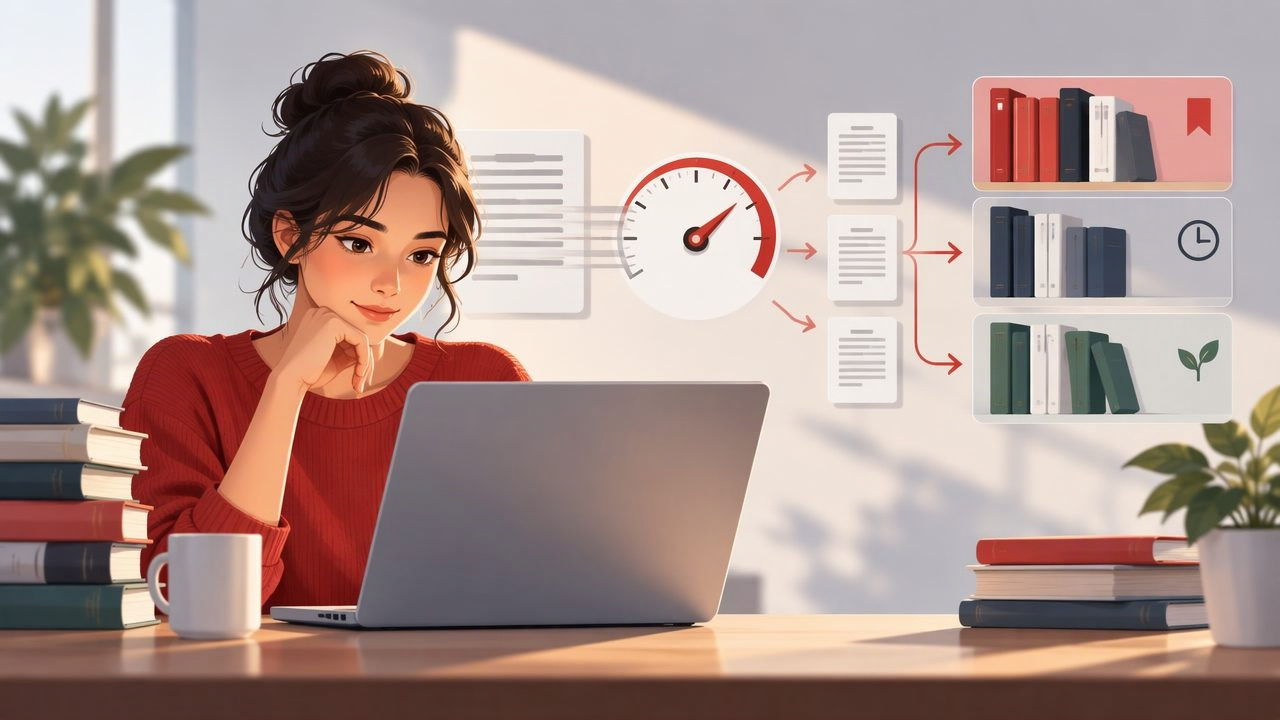
A crowded digital library can make it harder to decide what to read next. Articles, course readings, reports, and ebooks may all be saved, but their page counts do not tell you how long they will take—or whether you have enough time to start one. A reading speed test can add a useful time estimate to your library so you can choose material that fits the moment.
The best reading speed test for this purpose is not simply the one that produces the highest words-per-minute (WPM) number. It is a repeatable test that uses text similar to what you actually read, checks comprehension, and gives you a personal baseline. That baseline can help you organize a digital reading library by estimated reading time while keeping the limits of any estimate in view.
What a reading speed test can tell you
A basic reading speed test measures how many words you read in a set amount of time. If a passage contains 600 words and you read it in three minutes, your rate is 200 WPM. The calculation is:
Words per minute = number of words read ÷ reading time in minutes
That figure is a snapshot, not a universal score or a promise that every text will take the same time. Familiar topics, short sentences, and straightforward prose may feel easier than technical papers, legal documents, or material in a second language. A useful test therefore pairs pace with a quick check of what you understood.
For library organization, the practical question is not “How fast can I read?” but “How much time should I set aside for this kind of reading?” The answer can help you make more realistic choices when planning a study session, commute, or focused work block.
Choose a test that matches your reading library
A short online passage can provide a quick baseline, but it may not represent the files you have saved. If your library is mostly research papers, test yourself on a representative section of a research paper. If you mainly save news articles, use an article with a similar style and subject. Matching the test to your usual material makes the resulting estimate more useful.
For a practical baseline, choose a passage of roughly 500 to 1,000 words that you have not read before. Read at your normal, attentive pace—not as fast as possible—and time the session. When you finish, close or move away from the passage and summarize its main point. You might also answer two or three questions about the argument, key details, or conclusion. If you cannot explain the central idea, the pace may have been too quick for that material.
Repeat the exercise with a second passage on a different day. A result that is broadly similar across two samples is more useful for planning than a single unusually fast or slow session. Keep the numbers as a working range rather than treating one WPM figure as a permanent personal characteristic.
Use a simple comprehension check
A comprehension check does not need to become a formal exam. Write one sentence describing the passage’s main claim, then note one supporting detail and one question you still have. For study material, add a prompt that asks you to explain a concept without looking at the text. These small checks can reveal when fast reading has turned into page movement without meaningful understanding.
Comprehension depends on purpose, background knowledge, and text difficulty. Reading an introduction to decide whether an article is relevant is different from studying a method you need to reproduce. A speed test can help estimate time, but it cannot determine whether you have learned enough for a particular task.
Turn your baseline into useful reading-time labels
Once you have a personal pace estimate, you can use it to add approximate reading times to saved items. Suppose your comfortable pace on general-interest articles is around 240 WPM. A 1,200-word article would take about five minutes at that rate: 1,200 divided by 240 equals 5. You could label it “about 5 minutes” in your reading list, then allow extra time if the topic is unfamiliar or you plan to take notes.
Do not apply that same estimate automatically to every file. A dense chapter may take much longer than a short article with the same word count. For items where careful understanding matters, use a slower rate based on your experience with similar material, or label the duration as a range. For example, “10–15 minutes, technical” communicates more than an exact-looking number that may be misleading.
| Library label | How to use it | Example |
|---|---|---|
| Estimated time | Group items by the time you can set aside | 5–10 minutes |
| Reading purpose | Distinguish browsing from careful study | Preview, study, reference |
| Difficulty | Flag material likely to need slower reading | Introductory, technical, unfamiliar |
| Next action | Make the item easier to resume | Read, take notes, review |
These labels do not have to be elaborate. A notes app, spreadsheet, reading-list app, or folder system can work if you can sort or search the information. Start with a few categories you will actually use. A library taxonomy that takes longer to maintain than the reading itself is unlikely to last.
Organize around the time and attention you have
Estimated duration is most helpful when it connects to a real reading opportunity. A five-minute article might suit a short break, while a dense chapter may need a quiet half-hour and a note-taking plan. You can make groups such as “quick reads,” “focused sessions,” and “long-form,” but choose boundaries that fit your schedule rather than adopting someone else’s standard.
It can also help to separate reading by purpose. A saved item might be something you want to read for interest, something required for a course, or a reference you need to consult later. Add a priority or due date where appropriate. This prevents a large collection of equally prominent unread links from hiding the material that matters now.
For example, a student with a 20-minute study block could filter for course readings estimated to take 10–15 minutes, then leave five minutes to summarize the main ideas. The time label is a planning aid, not a guarantee. If the chapter is more difficult than expected, the student can stop at a clear section break and update the estimate for next time.
Account for format and reading conditions
Digital libraries often mix web articles, PDFs, ebooks, and plain-text notes. Word count can be hard to determine for some files, and page count is not a reliable substitute: a page may contain a figure, a large heading, or tightly packed text. If an application provides a word count, treat it as a starting point. Otherwise, use broad duration categories instead of pretending the estimate is precise.
PDFs require particular care. A document may include tables, footnotes, formulas, diagrams, or scanned pages that do not behave like continuous prose. Reading speed measurements based on ordinary paragraphs may not predict the time needed to interpret those elements. Some files may also be difficult to read on a small screen, adding navigation or zooming time that a WPM calculation does not include.
Reading conditions matter too. Interruptions, fatigue, screen size, and whether you are taking notes can change how long a session takes. If you read while annotating a report, record an estimate for “reading with notes,” not just silent reading. That makes your library labels better suited to the way you plan to use the material.
When to update your reading estimates
Revisit your baseline when your reading needs change—for example, when you start a course in a new subject or begin reading more technical documents. You do not need to test yourself every day. Instead, compare your estimates with actual sessions occasionally. If a group of articles consistently takes twice as long as expected, revise the category or add a difficulty label.
Keep pace separate from quality. Finishing an item is not the same as understanding or remembering it. After important reading, make a brief summary, answer a question from memory, or identify how the information connects to your task. This offers a more meaningful signal than increasing a speed target alone.
Be cautious about claims that a particular WPM is ideal for everyone or that a speed test guarantees a specific improvement. Reading rates vary by reader, material, language, and purpose. Tools that present text in a rapid serial visual presentation (RSVP) format may be useful for some digital reading, but a faster display does not automatically mean better comprehension. Adjust the pace to the text and pause when you need to think.
A practical system for a manageable digital library
- Measure a realistic baseline. Time yourself on familiar types of text and check what you understood.
- Add approximate durations. Use rounded times or ranges rather than false precision.
- Mark purpose and difficulty. Separate quick browsing from careful learning or reference reading.
- Choose by available time. Pick an item that fits the session, with a little room for notes or interruptions.
- Review the estimate afterward. Adjust labels when a format or subject repeatedly takes longer than expected.
This approach turns a reading speed test into a small but practical part of library management. It can make the next choice easier, reduce overambitious reading plans, and help you protect time for material that needs attention. The estimate remains just that: an estimate. Use it to guide your schedule, not to rush through work that deserves careful thought.
If you read PDFs and other digital documents in focused sessions, this guide to reading PDFs faster explains considerations for using speed-reading approaches with that format.