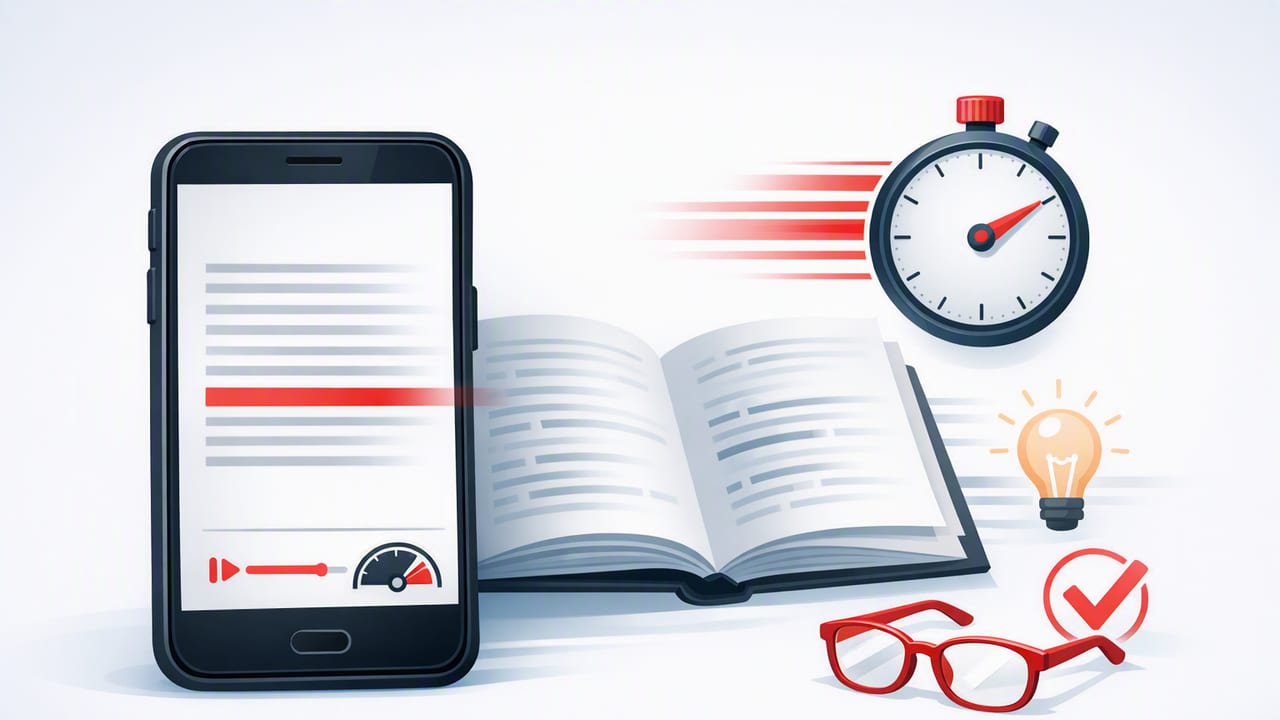
Most people try to read faster by “pushing harder.” The result is usually the same: more skimming, less understanding, and a quick return to old habits. A better approach is to treat faster reading like any other skill: measure it, train it, and verify comprehension. That’s where a speed reading app on iPhone or iPad becomes especially useful—because it can standardize your practice and help you keep a consistent pace.
This guide walks through a practical system you can use with nearly any speed reading app: establish a baseline, run short drills, and add simple comprehension checks so your speed gains are real (not just “faster page turning”).
What “reading faster” actually means (and what it doesn’t)
Reading speed is usually measured in words per minute (WPM). But WPM alone can be misleading. If your comprehension drops sharply, your effective reading speed might actually be worse because you’ll reread or miss key information.
Goal: Increase WPM while keeping comprehension stable (or improving it). The best speed improvements feel surprisingly calm—because they reduce distraction and indecision.
Think of speed reading practice as two skills working together:
- Pacing: how steadily you move through text without unnecessary stops.
- Meaning-making: how well you extract structure, arguments, and key details.
Step 1: Establish your baseline WPM (with comprehension)
Before you train, you need a reliable starting point. Here’s a simple baseline test you can do on iPhone or iPad using any reading passage.
Choose the right test passage
- Length: 600–1,000 words (long enough to settle in, short enough to repeat later).
- Difficulty: something you’d realistically read (news, textbook, professional article).
- Format: plain text is ideal; PDFs are okay if they’re clean and selectable.
Run the baseline
- Set a timer for 5 minutes.
- Read normally (no deliberate speed tricks).
- At the end, note how many words you read. Many apps show word counts; if not, copy the passage into a tool that can count words.
Calculate WPM like this:
WPM = (Words read / Minutes)
Example: 1,100 words in 5 minutes = 220 WPM
Add a quick comprehension check
Immediately after reading, answer these three questions (write 1–2 sentences each):
- What is the main point or argument?
- What are three supporting details?
- What is one implication, takeaway, or question you still have?
Score yourself from 1 to 5:
- 5: clear main idea, strong details, accurate takeaway
- 3: main idea mostly right, a few fuzzy details
- 1: unclear main idea, details missing or incorrect
This becomes your benchmark: Baseline WPM + Comprehension score.
Step 2: Know the bottlenecks that slow you down
A speed reading app is most effective when you know which reading behaviors it’s helping you change. The common speed limiters are:
- Subvocalization: “hearing” each word internally. You can’t eliminate it completely, but you can reduce it.
- Regression: backtracking to re-read because attention drifted.
- Long fixations: your eyes pause too long on individual words instead of moving in groups.
- Low attentional control: notifications, multitasking, or mental wandering.
Many app-based reading modes help by giving you an external rhythm (pacing) and reducing visual clutter (focus).
Step 3: Use a speed reading app the right way (settings that matter)
Different apps vary, but most speed reading apps on iOS include some combination of paced reading, guided highlighting, or rapid word presentation. These settings have the biggest impact:
1) Start slower than you think
If your baseline is 220 WPM, don’t jump to 500. Start at +10–15% above baseline for training sessions. The goal is to stretch without breaking comprehension.
2) Increase speed in small steps
Use increments of 10–25 WPM. Large jumps encourage guessing and regression.
3) Adjust line length and spacing (especially on iPad)
- Line length: aim for ~50–75 characters per line for comfortable scanning.
- Spacing: slightly increased line spacing can reduce accidental line skips.
- Font: prioritize legibility over style; avoid overly thin fonts.
4) Use a focus-friendly display
Try a soft background (off-white) and comfortable brightness. Eye strain is a hidden reason people regress.
Step 4: A simple daily training plan (15 minutes)
Consistency beats intensity. A short routine done 5–6 days per week usually outperforms occasional long sessions.
| Block | Time | What to do | Target |
|---|---|---|---|
| Warm-up read | 3 min | Read at baseline pace with full attention | Calm, accurate comprehension |
| Paced sprint | 5 min | Use paced mode at +10–20% WPM | Minimize backtracking |
| Controlled push | 4 min | Increase another +10–25 WPM | Stay relaxed; don’t “force” |
| Comprehension check | 3 min | Summarize main idea + 3 details | Score 4/5 or higher |
If comprehension dips below 4/5, reduce your speed slightly the next session. Improvement is rarely linear; it’s normal to plateau for a week and then jump.
Step 5: Two drills that work well on iPhone and iPad
Drill A: “No-regression” reading
This drill trains you to keep moving forward and rely on context (a key speed reading skill). In your speed reading app:
- Choose an easy-to-moderate article.
- Set a pace just above baseline.
- Make a rule: no backtracking. If you miss something, note it mentally and continue.
Why it helps: regression is often a symptom of distraction, not difficulty. Reducing it improves flow and focus.
Drill B: “Chunking” with guided focus
If your app supports highlighting or guided scanning, use it to train your eyes to take in groups of words rather than single words.
- Start at baseline speed.
- Focus on capturing meaning in phrases (e.g., “increasing reading speed” as one unit).
- After 2–3 minutes, increase WPM slightly and keep the same phrase-level focus.
Step 6: Track progress with “effective WPM”
To avoid fooling yourself, track an “effective WPM” score that accounts for comprehension. Here’s a simple method:
- Record your session WPM.
- Record comprehension score (1–5).
- Multiply WPM by (score/5).
Effective WPM = WPM * (ComprehensionScore / 5)
Example: 330 WPM with a 4/5 score = 330 * 0.8 = 264 effective WPM
This discourages “speed for speed’s sake” and rewards sustainable gains.
Step 7: Optimize your iOS environment for faster reading
Even the best speed reading app can’t compensate for constant interruptions. A few small changes help a lot:
Use Focus mode
- Enable a Focus that silences notifications during reading.
- Allow only time-sensitive calls or none at all.
Make iPad your deep-reading device (when possible)
The iPad’s larger screen can reduce line breaks and improve scanning. If you read dense material (papers, PDFs, textbooks), the iPad often wins for comprehension.
Use short, defined sessions
Instead of “I’ll read until I’m done,” try 10–20 minute blocks. Your brain stays more alert when there’s a clear finish line.
Common mistakes to avoid
- Jumping to extreme speeds too early: it trains guessing, not reading.
- Training only on easy content: you need a mix—easy for speed, moderate for skill transfer.
- Ignoring fatigue: if your eyes or attention are tired, your pace will collapse and regression spikes.
- Measuring once and forgetting: re-test baseline monthly to confirm your progress.
Putting it all together: a practical workflow
- Pick content you actually need to read (articles, research, professional docs).
- Baseline test once, then train slightly above it.
- Do 15 minutes/day with paced reading and a short comprehension check.
- Track effective WPM so your gains reflect real understanding.
- Increase gradually and keep comprehension stable.
When used this way, a speed reading app becomes less about “hacks” and more like a structured practice tool—helping you build focus, reduce regression, and maintain comprehension at higher speeds.
If you’re looking for an iPhone and iPad option that supports paced reading and focused practice, FocalRead is one example you can explore alongside the training approach above.
