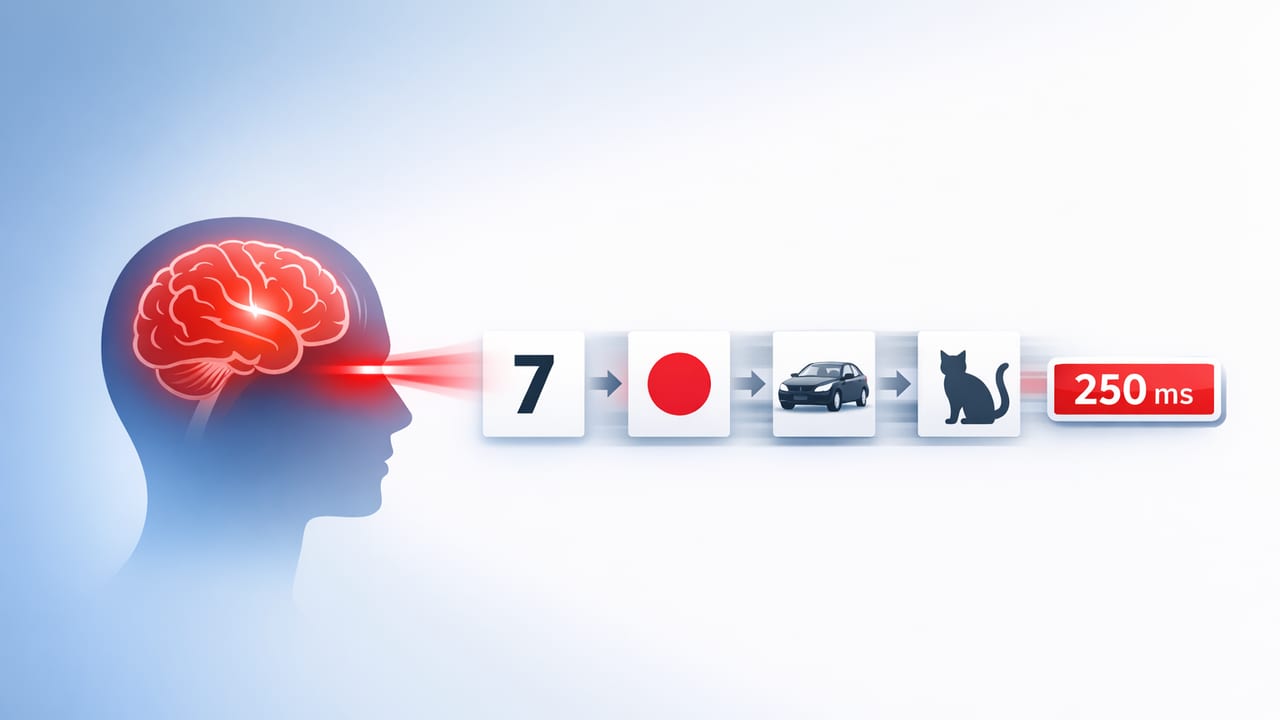
If you’ve ever watched words appear one-by-one in the same spot on your screen, you’ve seen Rapid Serial Visual Presentation (RSVP)—a speed reading method designed to reduce eye movement and help you move through digital text faster. For students, professionals, and avid readers, RSVP can be a powerful productivity and focus tool on an iPhone or iPad, especially when your reading pile is mostly articles, notes, emails, PDFs, and web text.
This guide explains what RSVP is, why it can increase reading speed, where it can hurt comprehension, and how to set up a realistic training plan you can stick to.
What is RSVP (Rapid Serial Visual Presentation)?
Rapid Serial Visual Presentation is a display technique where words (or short chunks of words) are presented sequentially at a fixed point on the screen. Instead of scanning lines left-to-right, your eyes stay relatively still while the text “comes to you.” You’ll often see this paired with a center alignment or an “optimal recognition point” (a highlight near the middle of the word) to make recognition easier at high speeds.
In plain terms: RSVP tries to remove time spent on eye movements (saccades) and re-focusing (fixations), which are major bottlenecks in typical reading—especially on small screens.
Why it can feel so fast
- Less scanning: your gaze stays mostly in one place.
- Less line navigation: no losing your spot or re-reading lines.
- Stronger pacing: the app becomes a metronome, reducing mind-wandering.
The science in one minute: why eye movement matters
Traditional reading relies on a cycle: fixate → recognize words → jump → repeat. Those “jumps” cost time and can increase distraction, particularly on a phone where line lengths are short and scrolling interrupts flow. RSVP compresses the process by keeping the recognition zone stable and letting perception do more work per second.
RSVP is less about “skipping” content and more about changing the bottleneck: from navigation (eyes/scrolling) to recognition and comprehension.
When RSVP helps (and when it doesn’t)
RSVP is best treated as a mode for certain tasks, not a universal replacement for every kind of reading. Your goal is faster reading with comprehension, not speed at any cost.
Great use cases
- Articles and newsletters: linear narratives or explanations.
- Study review: re-reading notes you already understand.
- Inbox triage: quickly extracting the point of an email.
- Professional scanning: briefs, updates, and summaries.
Trickier use cases
- Dense textbooks: heavy jargon and complex syntax may need pausing and re-reading.
- Code and math: symbols, indentation, and multi-line structure don’t map cleanly to word-by-word display.
- Poetry/literature: rhythm and phrasing matter; RSVP can flatten the experience.
RSVP settings that matter most (and how to choose them)
Most RSVP tools let you control words per minute (WPM), chunking, and pauses. The right settings depend on your baseline speed and the difficulty of the text.
| Setting | What it changes | Recommended starting point |
|---|---|---|
| WPM | Overall pace | Start near comfortable reading speed: 250–350 WPM |
| Chunk size | One word vs short phrases | 1–2 words for complex text; 2–4 for easy text |
| Pauses on punctuation | Breathing room at commas/periods | Enable pauses; keep them subtle (e.g., +20% comma, +40% period) |
| Long word delay | Extra time for long/rare words | Enable; especially helpful above 400 WPM |
| Highlight / center marker | Anchors recognition | Enable if available (reduces effort at higher speeds) |
A practical way to pick your WPM
- Choose a short article you understand (600–1,000 words).
- Run RSVP at 300 WPM with punctuation pauses on.
- After 2–3 minutes, ask: “Can I summarize the last paragraph in one sentence?”
- If yes, increase by 25–50 WPM. If no, decrease by 25 WPM or add pauses/chunking.
Speed reading progress is usually stair-step: you stabilize, then you bump speed, then you stabilize again.
Comprehension: the part most people skip
RSVP can boost speed, but comprehension requires active processing. The common failure mode is “seeing words quickly” without building a mental model of what they mean.
Use the 3-check system
- Micro-check (every 1–2 minutes): pause and restate the point in your own words.
- Section check: write a one-line summary after each major section.
- End check: list 3 key ideas and 1 action or question.
These checks take seconds, but they prevent “empty speed.” They also train your brain to extract structure faster.
Watch for these comprehension red flags
- You can’t explain what you just read without quoting it.
- You miss negations (“not,” “unless,” “except”).
- You lose track of who/what a pronoun refers to (“it,” “they”).
- Numbers blur together (dates, amounts, steps).
If you see those signs, don’t just lower WPM—also increase punctuation pauses, reduce chunk size, and build in quick recaps.
How to handle hard text in RSVP (numbers, names, and jargon)
Some content types are naturally hostile to word-by-word display. You can often fix this with small workflow adjustments.
Technique: “Slow on signal”
Before starting, scan for signals that deserve slower pacing:
- Bullet lists and step-by-step instructions
- Definitions (“X is defined as…”)
- Statistics, dates, formulas
- Proper nouns and unfamiliar terms
Then do one of the following: temporarily drop WPM, add extra pause at colons/semicolons, or switch to phrase chunking (2–3 words) so meaning stays intact.
Technique: pre-format the text (simple but powerful)
If you can edit the text before RSVP (even quickly), do these:
- Turn long sentences into two shorter ones.
- Replace “(parenthetical interruptions)” with separate sentences.
- Convert inline lists into bullets.
That small cleanup often increases both speed and comprehension because RSVP is sensitive to sentence structure.
iPhone vs iPad: which is better for RSVP reading?
Both can work well, but they encourage different habits.
- iPhone: best for quick sessions (commutes, waiting rooms). RSVP helps because the small screen makes line-based reading more interruptive.
- iPad: better for longer study blocks, split-screen note-taking, and reviewing PDFs. You may alternate RSVP for flow and traditional view for diagrams/tables.
For either device, a key benefit is consistency: RSVP makes it easier to read in short bursts without spending 30 seconds “getting back into it.”
A 14-day RSVP training plan (15 minutes/day)
This routine is designed for busy learners who want measurable gains in reading speed while protecting comprehension.
Days 1–3: calibration and comfort
- 10 minutes/day at a comfortable pace (250–350 WPM).
- Enable punctuation pauses and long-word delay.
- Do 3 micro-checks: one-sentence summaries.
Days 4–7: controlled speed increases
- Increase pace by 25–50 WPM if your summaries stay accurate.
- Practice “slow on signal” for numbers and definitions.
- End each session by writing 3 bullets of what you learned.
Days 8–11: difficulty mixing
- Split sessions: 7 minutes easy text + 8 minutes harder text.
- For harder text, reduce chunk size (1–2 words) and keep WPM conservative.
- Do one section check (a one-line takeaway) midway.
Days 12–14: real-world workflow
- Use RSVP on content you actually need: work docs, class readings, research articles.
- Alternate modes: RSVP for narrative sections; normal view for charts/tables.
- Track two metrics: WPM and a simple comprehension score (0–2: can’t summarize / partial / clear).
After two weeks, many readers find they can sustain a higher pace on familiar or moderately complex material while feeling less distracted—because pacing supports attention.
Common myths about RSVP speed reading
Myth 1: “Faster always means worse comprehension”
Not always. For easier or familiar material, faster pacing can reduce mind-wandering and improve focus. The key is to treat comprehension as a non-negotiable metric, not a hope.
Myth 2: “RSVP is just skimming”
Skimming usually means skipping content strategically. RSVP is typically sequential (you still see every word), but at a controlled rhythm. You can skim with RSVP by turning up WPM too high—but that’s a settings problem, not the technique.
Myth 3: “One WPM target works for everything”
Reading speed should change with the goal:
- Learning: slower, more recaps
- Review: faster
- Triage: fastest, with quick exit if irrelevant
Optional: a tiny text-prep script (for cleaner RSVP input)
If you paste content into an RSVP reader, removing extra whitespace and fixing common punctuation spacing can make word flow smoother. Here’s a minimal example in Python you can run on a laptop to clean text before sending it to your device:
import re

def prep_for_rsvp(text: str) -> str:
    # Normalize whitespace
    text = re.sub(r"\s+", " ", text).strip()
    # Space after punctuation if missing
    text = re.sub(r"([,;:.!?])(\S)", r"\1 \2", text)
    # Replace long dashes with simple hyphen spacing
    text = text.replace("—", " - ")
    return text

sample = "This is a test—notice punctuation,and spacing!"
print(prep_for_rsvp(sample))
You don’t need code to benefit from RSVP, but clean input reduces friction—especially at higher speeds.
FAQ: quick answers
Is RSVP safe for my eyes?
RSVP reduces scanning, but it can increase sustained attention at a fixed point. Use sensible brightness, take breaks (20-20-20 rule), and stop if you feel strain.
What’s a good goal speed?
Many readers do well around 350–500 WPM for straightforward digital text while maintaining comprehension. Hard material may stay closer to 250–350 WPM. Your “best” speed is the one where you can still summarize accurately.
Should I try to eliminate subvocalization?
Don’t obsess over it. Light subvocalization can coexist with faster reading. Focus on comprehension checks and smooth pacing; reduction often happens naturally with practice.
Putting it all together
RSVP—sometimes searched as rapid serial visual reading—works best when you treat it as a flexible tool: choose the right content, tune WPM and pauses, and build in quick comprehension checks. Used thoughtfully on an iOS device, it can turn scattered moments into consistent reading progress and strengthen your reading habits over time.
If you’re experimenting with RSVP on iPhone or iPad, an app like FocalRead can help you practice with pacing controls and reading modes—just keep the focus on outcomes: understanding, retention, and real-world usefulness.
