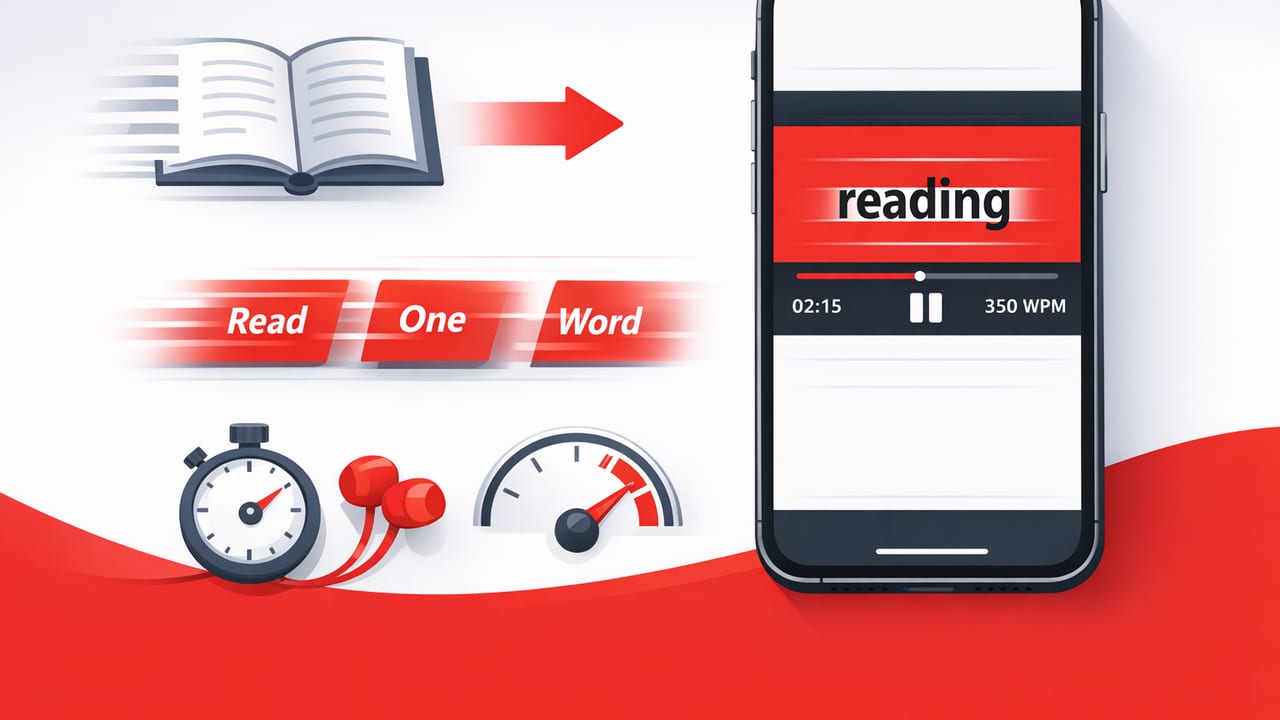
RSVP (Rapid Serial Visual Presentation) speed reading is one of the most effective ways to increase reading speed on an iPhone or iPad because it changes how text is presented: instead of scrolling lines and paragraphs, you see one word (or a small chunk) at a time in a fixed spot on the screen. That small shift reduces time lost to eye movements, helps many readers stay focused, and makes it easier to measure reading speed precisely.
This guide explains RSVP speed reading for iOS, when it works best, how to set up your iPhone/iPad for smoother RSVP sessions, and a practical training routine you can stick with—without sacrificing comprehension.
What “RSVP” means in speed reading
RSVP stands for Rapid Serial Visual Presentation. In RSVP reading mode:
- Words are displayed sequentially (often centered).
- Your eyes stay mostly in one place, reducing saccades (quick eye jumps) and regressions (re-reading).
- Speed is controlled in words per minute (WPM) and can be adjusted on the fly.
Traditional reading requires constant eye movement across lines and frequent micro-pauses to find the next word. RSVP replaces that scanning behavior with a steady, timed flow. For many people, that translates into faster reading and fewer attention breaks—especially on small screens.
Key idea: RSVP doesn’t magically increase comprehension. It removes some mechanical friction (eye movement + re-finding your place), which can free up attention for meaning—if the pace matches the material.
Why RSVP speed reading is a great fit for iPhone and iPad
RSVP gained popularity largely because of mobile devices. iOS is especially suitable because people often read in short bursts, in distracting environments, and on screens that make long-form scanning harder.
Benefits you can expect
- More focus in noisy contexts: One word at a time can reduce wandering attention.
- Consistent pacing: Great for articles, notes, and study summaries.
- Less line-skipping: No losing your place on a phone screen.
- Clear speed control: Easy to test 250 vs 350 vs 450 WPM and see where comprehension holds.
Where RSVP can struggle
- Dense technical text: Proofs, legal language, or highly symbolic material may need slower pacing or traditional layout.
- Tables, code, and formulas: These often require spatial scanning, not linear word flow.
- When you need to skim: RSVP is linear by design; skimming is non-linear.
RSVP vs traditional scrolling: a quick comparison
| Feature | RSVP (one-word flow) | Traditional reading (scrolling pages) |
|---|---|---|
| Eye movement | Minimal; fixed focal point | High; scanning lines + refocusing |
| Best for | Articles, essays, notes, emails | Deep study, reference, visuals, code |
| Focus support | High (steady pace reduces wandering) | Varies (easy to drift or reread) |
| Skimming & jumping around | Limited | Easy (headings, scanning, search) |
| Comprehension at high speed | Depends on material + training | Often better for complex structures |
How fast should you set RSVP on iOS?
A useful starting point depends on your baseline reading speed and how demanding the text is. Many adults read roughly 200–300 WPM in comfortable conditions, but reading on a phone often drops that.
Try this simple approach:
- Start at 250 WPM for general articles.
- Increase in small steps (25–50 WPM) until comprehension feels slightly strained.
- Back off one step and hold that speed for several sessions.
A practical speed range guide
- 200–300 WPM: careful reading, unfamiliar topics
- 300–450 WPM: typical RSVP “training zone” for articles
- 450–600 WPM: better for lighter content or review, not first-pass learning
Rule of thumb: if you can’t summarize a paragraph in one or two sentences, you’re going too fast for that material.
iPhone and iPad setup tips for better RSVP sessions
You don’t need a complicated setup, but a few iOS tweaks can improve comfort and reduce fatigue.
1) Reduce interruptions
- Use Focus to silence notifications during a reading block.
- Turn on Do Not Disturb if you’re easily pulled out of flow.
2) Adjust display for endurance
- Set a comfortable brightness (too bright increases fatigue).
- Use Dark Mode if it reduces strain for you.
- Increase text size so words are instantly recognizable without squinting.
3) Stabilize your reading posture
- On iPhone, hold the device slightly below eye level to reduce neck tension.
- On iPad, consider a stand so your eyes stay relaxed and fixed.
4) Pick the right “chunking” and pauses
Many RSVP readers let you control extra pauses for punctuation. If you have that option, it matters:
- Comma pause: light (helps phrasing)
- Period pause: medium (supports sentence integration)
- Paragraph pause: stronger (supports recall)
If your reader supports showing 2–3 word chunks instead of single words, experiment. Chunking can improve meaning extraction, especially above ~400 WPM.
A simple RSVP training routine (15 minutes)
This routine is designed for consistency. Do it 4–5 times per week with content you actually need to read (articles for work, class notes, professional newsletters).
Step 1: Warm up (3 minutes)
Read at an easy speed (around 250–300 WPM). Your goal is smooth tracking, not speed.
- Keep your eyes relaxed on the focal point.
- Don’t fight every missed word—stay with the stream.
Step 2: Training zone (8 minutes)
Increase speed in small steps until you hit “productive strain.” That’s when you can still follow the meaning but you must pay attention.
- Hold that speed for 2 minutes.
- Increase slightly for 2 minutes.
- Drop back one step for the remaining time.
Step 3: Comprehension check (4 minutes)
Stop and do one of the following:
- Write a 3-bullet summary.
- Answer: “What was the author’s claim?” + “What evidence was used?”
- Explain the core idea out loud in 30 seconds.
This step is what keeps RSVP from becoming “fast viewing.” Speed reading is only useful if you can use what you read.
Common problems (and how to fix them)
“I feel like I’m seeing words but not understanding.”
- Fix: slow down 50–100 WPM and add stronger sentence/paragraph pauses.
- Also try: switch from single-word to 2-word chunks if available.
“I keep wanting to re-read.”
- Fix: accept occasional loss. RSVP works best when you trust context to fill gaps.
- Technique: mark unclear sections and re-read them later in normal layout.
“My eyes get tired quickly.”
- Fix: increase text size, reduce brightness, and shorten sessions (two 8-minute blocks beats one 16-minute block).
- Check: posture and viewing distance; fatigue is often ergonomic.
“Numbers and acronyms fly by too fast.”
- Fix: enable extra pauses on long words/numbers if your RSVP reader supports it.
- Fallback: slow down briefly when you hit data-heavy sections.
How to measure progress (without obsessing)
Progress with RSVP is usually non-linear: sudden jumps, then plateaus. Measure the things that matter:
- Effective WPM: speed you can maintain while still summarizing accurately.
- Retention: what you remember after 10–30 minutes.
- Consistency: how often you complete focused reading blocks.
If you like simple tracking, here’s a tiny pseudo-formula you can use in a notes app to compute WPM from any reading session:
# WPM estimate
# words_read: total words in the passage
# seconds: time spent reading in seconds
wpm = (words_read / seconds) * 60
When to use RSVP—and when not to
RSVP speed reading for iOS is most useful when your goal is throughput with comprehension, not deep analysis.
Use RSVP for
- Newsletters and long articles
- Background reading for classes
- Professional updates and industry content
- First-pass reading before highlighting or note-taking
Prefer traditional layout for
- Studying diagrams, charts, and tables
- Programming code and math-heavy materials
- Anything you must quote, annotate heavily, or reference repeatedly
Putting it all together: a sustainable RSVP mindset
The best way to think about RSVP is as a mode in your reading toolkit. Use it to stay focused and move quickly through linear text, then switch to normal reading for sections that demand structure, visuals, or careful re-checking.
If you’re building a habit, prioritize:
- Short sessions you actually complete
- Small speed increases (avoid huge jumps)
- Frequent comprehension checks so speed serves learning
And if you want to try RSVP reading on iPhone or iPad with configurable pacing and focus-friendly presentation, an app like FocalRead is one way to practice the technique consistently.
